
Listing Explorer
Comparing Listings
Discover similar listings and new competitors in the same category to understand your competitive landscape on Etsy.
Updated
Comparing Listings
When you look up a listing in Listing Explorer, two carousels at the bottom show you other listings in the same category — so you can see who you're competing with and what new products are entering the market.
Similar listings
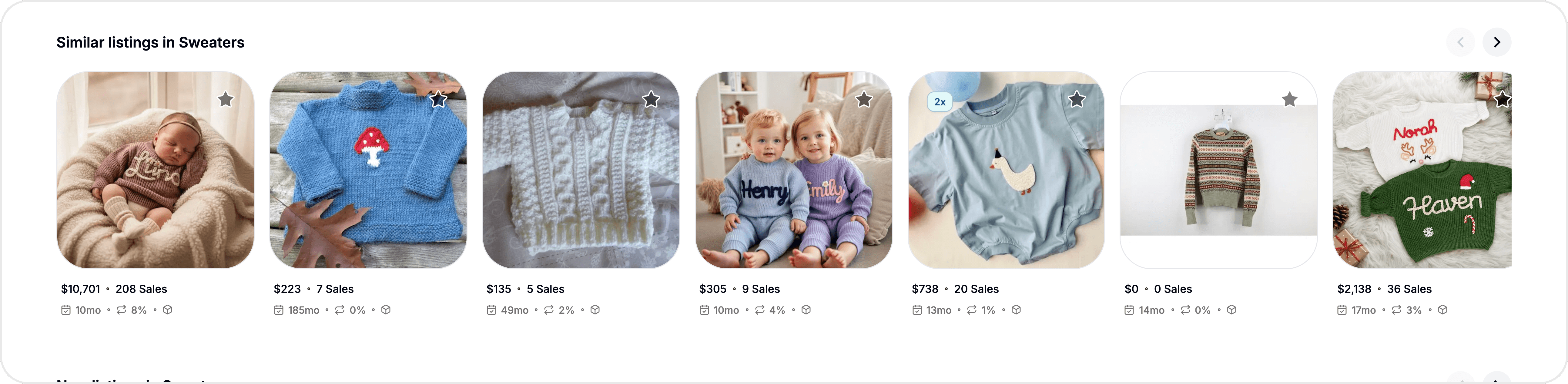
The "Similar listings in [Category]" carousel shows listings with comparable metrics in the same Etsy taxonomy. These are your direct competitors — products that shoppers are likely to see alongside yours in search results.
Each card shows the listing image, title, price, monthly sales, and monthly revenue. Click any card to load that listing in Listing Explorer and see its full breakdown.
New listings in category
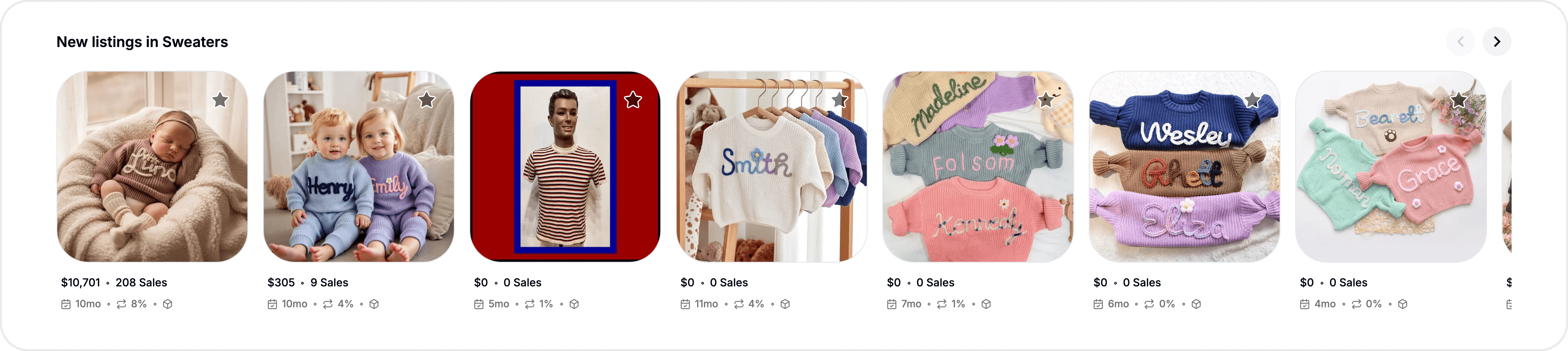
The "New listings in [Category]" carousel shows recently published listings in the same category. This is where you spot new entrants — sellers who just launched products in your niche.
Monitoring new listings helps you:
Catch emerging competitors early before they build sales history
See what pricing strategies new sellers are using
Identify trending product variations or styles entering the market
Understand whether your category is getting more or less crowded
How to use comparisons for research
Benchmark your pricing — If similar listings in your category are priced between $15–$25 and you're at $40, you either need a clear value differentiator or a pricing adjustment. Conversely, if competitors are lower but your sales are strong, your pricing power is validated.
Study tag strategies — Click into a top-performing similar listing and compare its tags to yours. Look for high-opportunity tags that competitors use but you don't — those are the easiest wins.
Track your niche over time — Save your top competitors to your Watchlist and revisit them periodically. Changes in their pricing, sales volume, or new arrivals in the category reveal shifts in the market before they affect your own sales.
Evaluate new entrants — When you see new listings appearing with strong early sales, click into them to study their strategy. What tags, pricing, and photos are they using? New sellers who succeed quickly often signal a tactic worth understanding.
Tips & best practices
Click through 3–5 similar listings to build a picture of your competitive landscape. One listing is an anecdote; a pattern across several is actionable intelligence.
Pay attention to the monthly sales and revenue on similar listings. If your listing's numbers are significantly lower, the comparison helps pinpoint whether it's a pricing, SEO, or visibility issue.
Save high-performing competitors to a dedicated Watchlist folder like "Top Competitors" so you can monitor them without re-searching each time.
Check new listings weekly in competitive categories. If new sellers are flooding in, it may be time to differentiate or explore adjacent niches.
Common questions
How are "similar listings" determined?
Similar listings are matched using the listing's Etsy category (taxonomy) and tags. The system finds listings in the same category with overlapping tags and comparable performance characteristics.
How many listings appear in each carousel?
Each carousel shows around 5 listings at a time. Scroll horizontally to see more if available.
Can I save a similar listing to my Watchlist?
Yes. Click the star icon on any card in the carousel to save it, or click the card to open it in Listing Explorer and save it from there.
Are new listings updated in real-time?
The "New listings in category" carousel reflects recently published listings based on the latest data in ListingView's database. It updates as new listings are indexed.
Related features
Listing Explorer Overview — How to search for listings and navigate the page
Listing Details — Full breakdown of metrics, SEO scores, and tag analysis
The Database — Browse and filter the full marketplace of 134 million+ listings
Watchlist — Save competitors and track them over time
Still need help?
Can’t find what you’re looking for? Our team is happy to help.
Summarize