How to Spot Outlier Etsy Listings and Reverse-Engineer Them

In almost every Etsy niche, a small number of listings do most of the selling. One shirt design outsells fifty near-identical ones. One printable quietly pulls in thousands of orders while its neighbors sit at zero. Those breakout products are outlier listings, and they are the single best free teacher you have. Learning to spot outlier Etsy listings and reverse-engineer why they convert tells you what real buyers are responding to right now, not what a trend article guessed three months ago.
This guide shows how to find these listings and, more importantly, how to break down what makes them work so you can apply the same thinking to your own shop.
What Is an Outlier Listing on Etsy?
An outlier listing is a product that sells far more than similar listings or far above its own shop's average. ListingView flags these with an Outlier badge such as "2.5x Outlier," meaning the item sells roughly two and a half times more than that shop's typical listing. Outliers reveal demand that the rest of the market has not caught up to yet.
The distinction that matters: a shop's overall success can come from advertising, a big following, or years of reviews. An outlier listing succeeds relative to its own shop, which strips away those advantages and points at the listing itself. That is what makes it worth studying.
How Do You Find Outlier Listings on Etsy?
The fastest way is the Outliers view inside ListingView's Database, which surfaces listings performing well above comparable products. Open the Database, select Outliers, and filter by your category or a keyword to see the breakout listings in your space rather than scrolling Etsy at random.
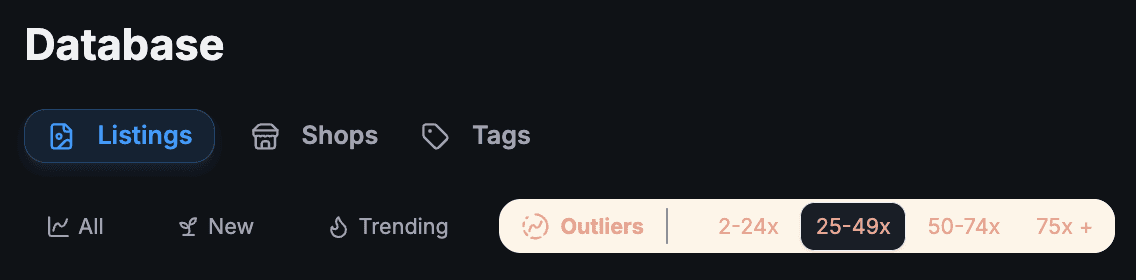
You can also spot them while browsing Etsy normally. The ListingView browser extension overlays badges directly on Etsy search and shop pages, including an Outlier badge with the exact multiplier, so a "3x Outlier" jumps out as you scroll. The free, manual version of this is to open a shop, sort its listings by best selling, and notice which one or two items clearly carry the shop. It is slower, but it works.
What Should You Look At When You Find One?
Once you have an outlier, study the parts of the listing a buyer actually decides on. Click the listing title in the Database to open the full analytical view in Listing Explorer, which breaks down sales history and scores the title, tags, photos, and description. Work through this checklist:
Photos. Look at the hero image first, since it carries the most weight in the decision to click. Is it a clean studio shot, a lifestyle scene, or a clear mockup? Count how many of the ten image slots are used and what each one shows: scale, variations, the "what you get" summary.
The first 40 characters of the title. That is roughly all a buyer sees on mobile. Read just those opening words and ask whether they instantly say what the product is and who it is for.
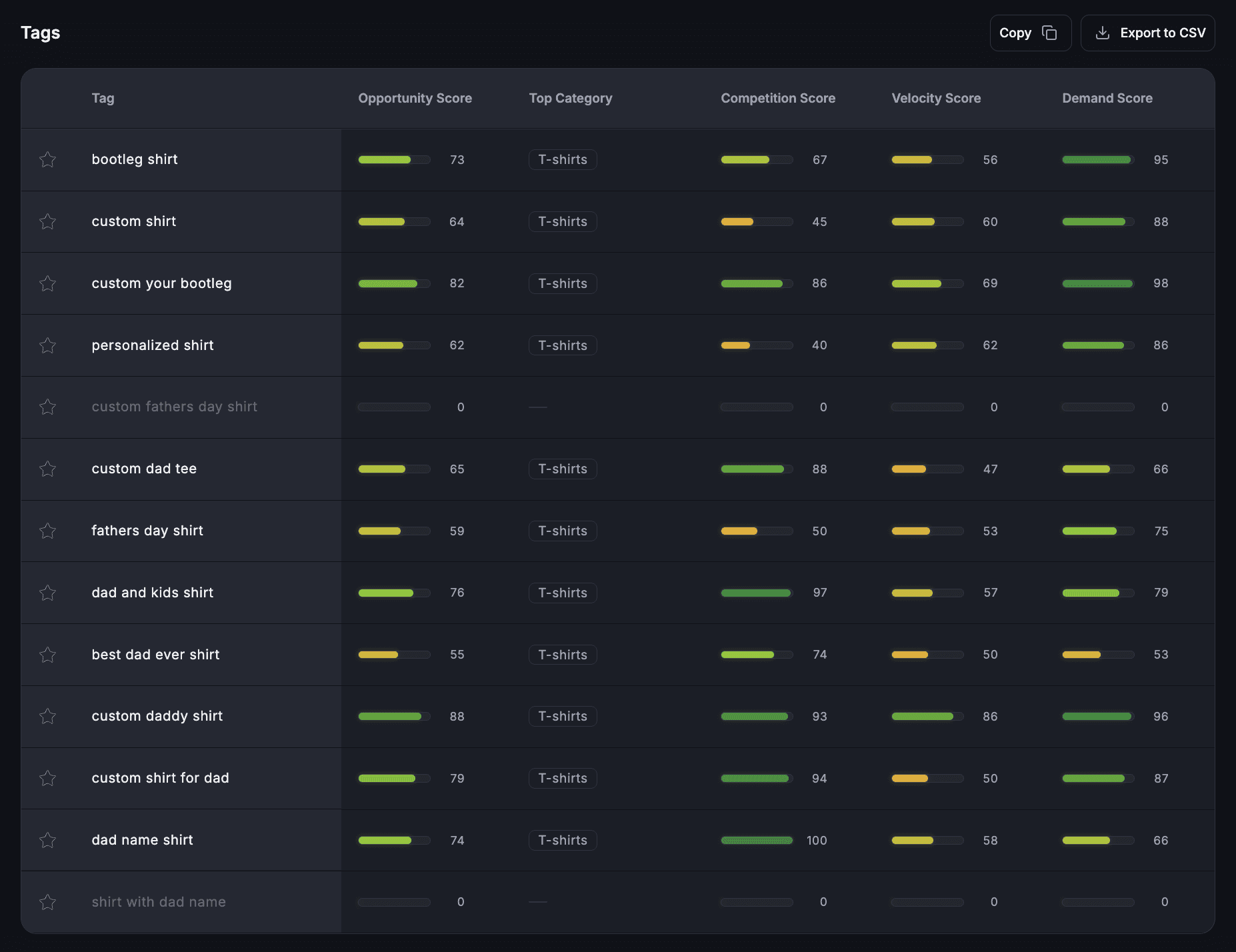
Tags. Listing Explorer shows the exact tags the listing uses. These are the search phrases that are actually working, which is far more useful than guessing. Note the long-tail combinations, not just the broad words.
Price and offering. Is it cheaper than peers, or more expensive with a clear reason? Does it offer personalization, a bundle, or a size or color range that the competition skips?
Reviews. Skim recent reviews for the words buyers repeat. Those phrases tell you the real reason people buy, and they often belong in your own titles and descriptions.
Why Do Some Etsy Listings Sell So Much More Than Others?
Most outliers come down to one number: conversion rate, the share of visitors who buy. As of 2026, a conversion rate of 2% to 3% is average on Etsy, 3% to 5% is strong, and above 5% is top tier, though it varies by category. Digital products often convert at 5% to 10%, jewelry around 4% to 5%, and custom items closer to 1% to 2%.
Conversion rate matters twice over. It directly turns the same traffic into more sales, and it feeds Etsy's ranking. Etsy's search algorithm uses listing quality as a ranking signal, and conversion rate is a core part of that score, so a listing that converts well climbs higher, gets more views, and sells even more. That feedback loop is how a single listing becomes an outlier.
Photos are usually the biggest lever, because buyers cannot touch the product. Etsy's own Seller Handbook guide to creating listings that convert stresses clear, well-lit images and skimmable descriptions. One more concrete factor: listings with video convert 20% to 40% higher, so check whether your outlier uses one. For the full picture of how ranking works, our breakdown of how Etsy's algorithm actually works in 2026 connects these signals together.
What to Copy and What to Leave Alone
Reverse-engineering means copying the approach, never the artwork. Copy the format: the photo style, the title structure, the price position, the personalization angle, the way the description answers questions. Do not copy the actual design, brand name, or photos, which is both against Etsy's rules and a fast way to get reported.
A simple test: if you took everything you learned and applied it to a completely different design, would it still help? If yes, you are studying the strategy. If the only thing you took was the design itself, you are copying, and that is the line to stay behind. Our guide to studying your Etsy competitors the right way goes deeper on staying on the useful side of that line.
Turn One Outlier Into an Action Plan
Studying outliers is only useful if it changes what you make. After breaking one down, write three things you will do differently: one about photos, one about your title and tags, and one about your offering, such as adding a bundle or a personalization option. Specific changes beat a vague "make it better."
Save the listings you study to a Watchlist folder so you can track whether they keep climbing or fade, which tells you if the trend has legs. Then point the same lens at your own shop. If you already have a listing outperforming your others, treat it as your personal outlier and double down on what it is doing. For more on finding these winners across the marketplace, see our guide to finding best-selling products on Etsy.
Frequently Asked Questions
What is an outlier listing on Etsy?
An outlier listing is a product that sells far more than comparable listings or far above its own shop's average. ListingView marks them with an Outlier badge and a multiplier, like "2.5x Outlier," showing how much it beats the shop's typical item. Outliers point to demand or a listing approach that is working unusually well and worth studying.
How do you find what is selling best on Etsy?
Use a research tool to sort listings by recent sales or filter for outliers and bestsellers, rather than scrolling Etsy by hand. ListingView's Database has dedicated Trending and Outliers views, and its browser extension flags strong listings as you browse. Manually, you can open a shop and sort its items by best selling to see which ones carry it.
What is a good conversion rate on Etsy in 2026?
A conversion rate of 2% to 3% is average, 3% to 5% is strong, and above 5% is top tier, though it varies by category. Digital products often reach 5% to 10%, jewelry 4% to 5%, and custom items 1% to 2%. New shops under three months old commonly sit at 0.5% to 2% until they build reviews and sales history.
Is it legal to copy a bestselling Etsy listing?
You can study and copy the strategy, such as photo style, title structure, and pricing, but never the actual design, artwork, brand name, or photos. Copying a design or images can infringe copyright and violates Etsy's policies, which can get your listing removed or your shop suspended. Reverse-engineer the approach and apply it to your own original work.
Our team is consistently improving ListingView to provide better data, tools, and insights for Etsy sellers. Because of this, some features or screenshots mentioned in this post may look slightly different from what you see inside ListingView.